Choose a clear face clip
Start with a front-facing or mostly visible speaker, steady framing, and enough resolution to inspect the mouth area. A simple source makes changes easier to evaluate.
Use case guide
These latentsync examples youtube creators can study show how the model changes a speaking face while preserving the visual identity and setting of the source clip.

Use these routes to move from visual inspiration to a more practical understanding of the tool and its workflow.
See how a lip-sync workflow can fit into a YouTube production process.
Follow a grounded sequence for preparing footage and reviewing the result.
Compare a node-based route for organizing repeatable LatentSync experiments.
The strongest examples are easier to judge when you separate the source video, the speech signal, and the final compositing decision.
Start with a front-facing or mostly visible speaker, steady framing, and enough resolution to inspect the mouth area. A simple source makes changes easier to evaluate.
LatentSync uses the speech track to guide mouth movement over the visible face. The result is most convincing when the audio timing and the speaker’s pose are compatible.
Watch the output at normal speed and frame by frame. Check mouth timing, teeth, jaw edges, lighting, and transitions before treating the clip as ready for a published video.
Examples are useful for setting expectations, but they do not remove the constraints of the source footage or the model.
Heavy blur, extreme profile angles, occlusion, rapid camera movement, or a tiny face can make the mouth area unstable.
WorkaroundTest a shorter, cleaner segment first and choose footage with a larger, more visible face.
Speech can guide lip motion, but it does not automatically create natural emotion, head movement, or believable eye behavior.
WorkaroundUse a performance whose expression already matches the intended delivery, then edit around weak moments.
Lip synchronization is only one layer. It does not replace cutting, captions, sound cleanup, color work, rights checks, or disclosure decisions.
WorkaroundTreat the generated clip as an intermediate asset in a normal post-production timeline.
Consonants, laughter, quick turns, teeth, facial hair, and changing light can expose seams that are subtle in a still frame.
WorkaroundReview the full motion sequence and avoid presenting isolated frames as proof of consistent quality.
A before-and-after view is more informative than a single still because it keeps the original framing and facial context visible.
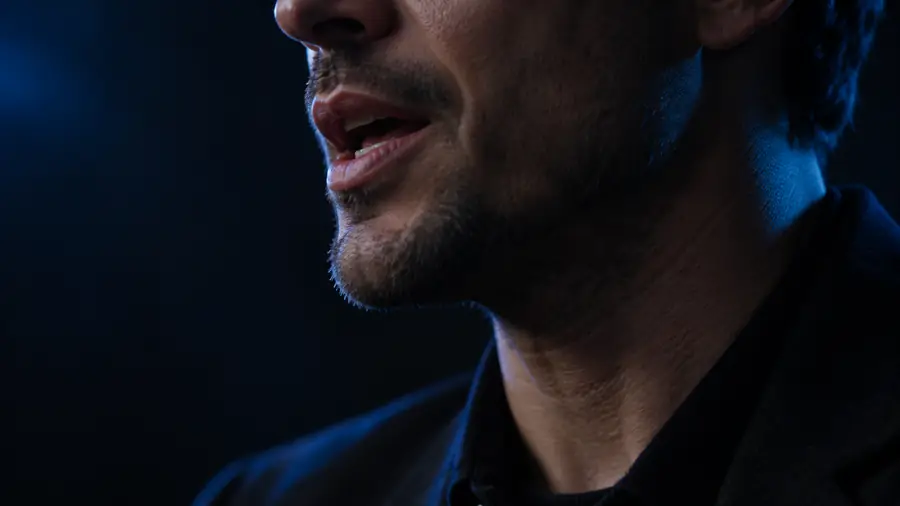
Judge timing and facial edges across motion, not from one frame alone.
The available visual set gives viewers several ways to inspect the concept before planning a longer experiment.
Use the examples as a checklist rather than a promise: choose a clean clip, match the speech carefully, and inspect the complete result before publishing. A focused test gives you more useful feedback than starting with a long or complicated video.
Answers to common questions about using example videos to understand quality, workflow, and suitable footage.
Good examples use a visible speaking face, understandable speech, and stable framing so the mouth changes can be judged clearly. Studio talking-head clips are often easier to inspect than fast action or heavily edited footage.
An example can become part of a YouTube edit, but it still needs normal review and post-production. Check the source footage, audio, likeness permissions, platform rules, and any disclosure requirements before publishing.
Watch the relationship between speech and mouth movement, especially on quick consonants and changes in expression. Also inspect jaw edges, teeth, lighting, and continuity across several seconds instead of judging one still image.
No. Results depend strongly on face visibility, pose, resolution, motion, audio alignment, and scene changes. A clean demonstration can show the method clearly without predicting identical performance on every source clip.
Start with a short, front-facing talking clip where the speaker is well lit and the mouth is unobstructed. Keeping the first test simple makes timing problems and visual artifacts easier to identify.